(818) 989-9100

Copier Leasing for Los Angeles Businesses

The right machine for your actual workload: delivery, installation, print driver setup, training, and maintenance included from day one.

DataPrint Solutions has been placing copier leases for Los Angeles businesses since 1988. It is a local, Van Nuys-based company, not a national chain. A copier lease here covers a multifunction system that prints, copies, and scans from a single unit, and the programs fit a two-person office running 500 pages a month just as readily as a production floor running 500,000.

One machine or twenty, the process is the same. Every lease includes delivery and installation, initial print driver setup, operator training, and coverage under DataPrint's maintenance program from day one. If you are still deciding between leasing and buying, the office equipment leasing guide walks through it. If a copier lease is what you need, this is where that conversation starts.

Matching a Copier to Your Workload

The most important step before signing any copier lease is matching the machine to your actual monthly volume, and it is the step most businesses skip. Manufacturers publish both a recommended monthly volume and a maximum duty cycle, and neither figure is a target. Running a machine consistently beyond its recommended monthly volume shortens its service life and invites reliability problems. To put that in concrete terms: a machine with a recommended monthly volume of 12,000 pages is badly undersized for a workload of 100,000 pages or more, even if it seems to keep up on delivery day.

Before recommending any machine, DataPrint assesses monthly volume, page speed requirements, color versus black-and-white mix, and finishing needs (stapling, hole punch, booklet making). The goal is equipment that still performs reliably at the end of the lease term, not just at the beginning. It is also worth knowing that commercial copier leases are generally difficult to exit early, which is standard across the industry. That is why getting the right machine before signing matters.

One Copier or a Fleet, New or Refurbished

A common assumption is that leasing only makes sense for a fleet. It does not. Plenty of small Los Angeles offices take out a copy machine lease on exactly one machine, and that is a completely normal arrangement: same lease terms, same delivery and installation, same service coverage as a multi-unit placement.

DataPrint places both new and refurbished machines on lease programs. Refurbished units are prepped for delivery and eligible for the same maintenance program coverage as new equipment. There is no minimum machine count and no minimum volume. If you would rather own than lease, copier sales is also an option.

Copier Installation and Network Setup

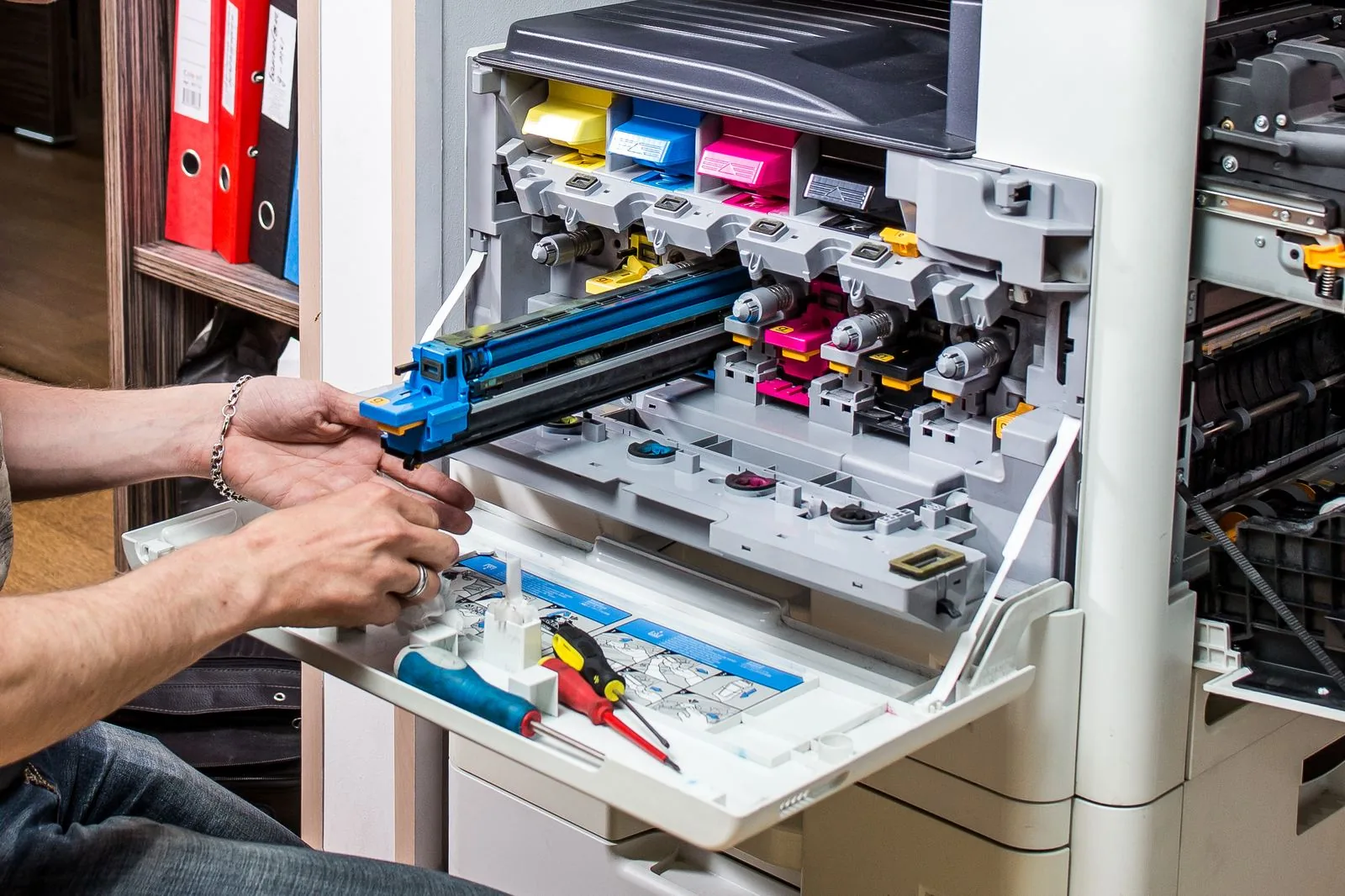
DataPrint prepares every machine and installs the initial print drivers so the equipment is ready for network integration on delivery day. For offices with an IT department, the team works alongside IT to configure scanning, printing, and copying to your exact requirements. For smaller offices without dedicated IT, DataPrint can handle the network setup directly on request. Office networks come in many configurations, and these machines are built to integrate into them, from a one-person office to a multi-location installation.

Copier Brands and Ongoing Service

DataPrint leases across all major commercial copier brands: Sharp, Ricoh, Kyocera, Xerox, Canon, and Konica Minolta. Because DataPrint services what it places, brand expertise is firsthand and in-house from the first call. It is not handed off to a third-party provider. For high-volume color workloads or production environments that require finishing capabilities like booklet making, DataPrint researches available new and refurbished production-class machines and proposes a configuration before any commitment is made.

At lease-end, the options depend on your agreement and typically include upgrading to newer equipment, purchasing the current unit, or returning it. CPA and accounting firms and law offices have relied on DataPrint for consistent equipment reliability across decade-plus client relationships. That kind of continuity is only possible when the same team that places the machine handles ongoing service. For desktop and workgroup printer leasing, that is a separate program.

What's Included in Our Copier Leases

  • All parts and labor for repairs
  • Regular maintenance and cleaning
  • Monthly meter readings, with supplies based on your agreement
  • Equipment replacement if needed
  • Full technical support

Copier Brands Available

SharpRicohKyoceraXeroxCanonKonica Minolta

Copier Series We Lease

Sharp MX seriesRicoh IM seriesKyocera TASKalfa seriesXerox AltaLink seriesXerox VersaLink seriesCanon imageRUNNER ADVANCE seriesKonica Minolta bizhub series
Professional copier leasing service in Los Angeles

Copier Leasing FAQs

How do I know which copier is the right size for my business?
Monthly page volume, page speed requirements, color versus black-and-white mix, and finishing needs all factor in. The key numbers to understand are the manufacturer's recommended monthly volume and maximum duty cycle. Neither is a target, and running a machine consistently beyond its recommended monthly volume shortens its service life and reduces reliability. DataPrint walks through all of this with you before any copier lease is signed, so you are not guessing at a number that has to hold up for the length of the agreement.
What does a copier lease include?
Every lease includes professional delivery and installation, initial print driver setup, operator training, and coverage under DataPrint's maintenance program. Consumables and specific service terms vary by plan. Contact DataPrint for details on what applies to your setup.
Do you handle connecting the copier to our network?
Yes. DataPrint prepares every copier, installs the initial print drivers, and makes sure it is ready for network integration on delivery day. For offices with an IT team, DataPrint works alongside them to get scanning, printing, and copying configured to your exact requirements. For offices without dedicated IT, DataPrint can handle the integration directly on request.
Can I lease a refurbished copier, or is leasing only available on new machines?
Both options are available. DataPrint places new and refurbished machines on lease programs. Refurbished units are prepped for delivery and covered under the same maintenance program as new equipment.
What happens at the end of a copier lease?
At lease-end, the options depend on your agreement and typically include upgrading to newer equipment, purchasing the current unit, or returning it. DataPrint can walk through the options with you as the term approaches.
What brands of copiers does DataPrint lease?
Sharp, Ricoh, Kyocera, Xerox, Canon, and Konica Minolta, along with other major commercial brands. DataPrint services what it places, so brand expertise is in-house and not handed off to a third-party service provider.
Does DataPrint lease copiers for high-volume or production environments?
Yes. DataPrint works with businesses running anywhere from 500 pages a month up to 500,000 or more, including production-class color environments that require high-speed machines and finishing options like booklet making and hole punch. Equipment recommendations are matched to the actual workload before any copier lease is signed.
Is it better to buy or lease a copier?
Neither is automatically the right answer. Buying costs more upfront but you own the machine outright. Leasing spreads the cost into predictable monthly payments, typically bundles service and maintenance, and makes upgrading easier when equipment ages out. Businesses that want to preserve capital or expect their volume to change tend to lease. Businesses planning to keep one machine for its full service life with capital on hand often buy. For a fuller walkthrough, see the office equipment leasing guide. DataPrint offers both, so the recommendation can go either way.
How much does it cost to lease a copier?
It depends on the machine and your monthly volume. A copier sized for a small office costs considerably less than a production-class system built for high-volume color work, and the specific terms of the agreement factor in as well. Rather than quote a number that will not match your situation, DataPrint assesses your actual volume, speed, and finishing requirements first and then puts together a proposal. Call (818) 989-9100 for a quote based on your setup.
Can you get out of a copier lease early?
Commercial copier leases are generally difficult to exit early. That is standard across the industry, not specific to any one provider. It is exactly why the machine needs to be right before anything is signed. DataPrint assesses your monthly volume and workflow upfront because a copier that is undersized for its workload creates problems you will be living with for the full length of the agreement. If you are currently in a lease that is not working, call and describe the situation.
Do you work with small offices, or only large companies?
Both. DataPrint writes copier leases for one-person offices and for multi-department operations running fleets, and the smallest placements get the same delivery, setup, training, and service coverage as the largest. There is no minimum machine count and no minimum volume. If your office needs a single copier, that is a completely normal lease.

Or call us directly: (818) 989-9100

What Los Angeles Businesses Say About Us

Rated 5 stars by Los Angeles businesses since 1988.

Looking at a Copier or Printer Lease?

Tell us about your office and we'll put together a lease proposal. You don't need exact page counts to start.

Call Now