July 1, 2026
Copier Printing Streaks and Lines Diagnosis Guide
An office manager calls us after getting a parts recommendation from another service company. The company never came out. Nobody pulled the machine apart. Someone on the phone heard "streaks on printed pages" and came back with: you need a new drum unit, probably a developer too. The office manager wants to know if that sounds right.
It might be right. It also might be half right, or wrong in a way that costs real money. The problem is not the recommendation itself — it's that the recommendation was made without anyone laying hands on the machine. We have been doing this work since 1988, and that is not a diagnosis. That is a guess with a price tag attached.
Here is how a real copier printing streaks and lines diagnosis actually works.
Why Streaks Are Rarely a One-Part Problem
Before anyone orders parts, it helps to understand how a laser copier produces an image in the first place.
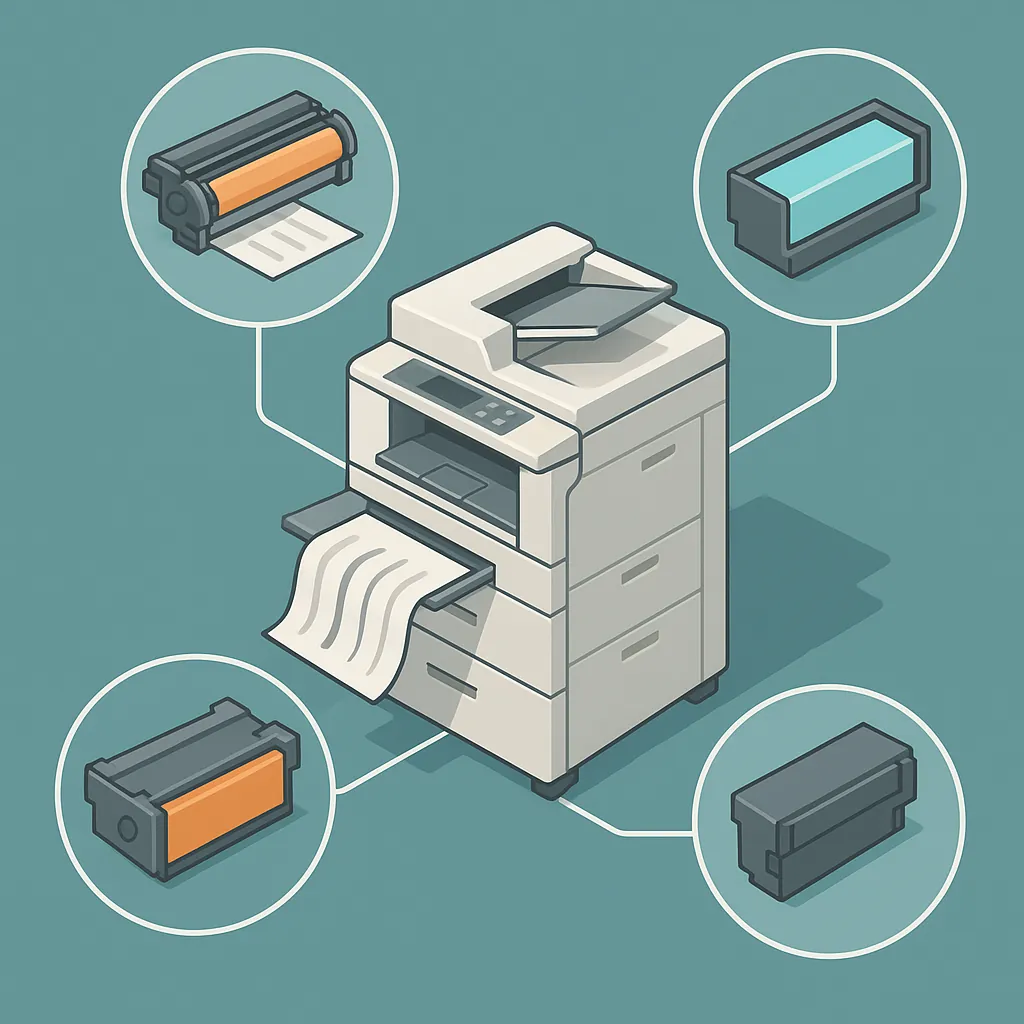
The drum carries a photosensitive charge. The developer unit brushes toner onto the drum to form the image. A transfer belt or transfer roller moves that toner image from the drum onto the paper. The fuser bonds it down with heat. A streak can originate at any one of those stages, which is why jumping straight to "replace the drum" is premature without knowing where in that chain the problem lives.
On commercial machines, the drum does not get replaced by itself. When we put in a drum, a complete drum kit goes in at the same time: the drum cleaning blade, and the Corotron/Scorotron charging and discharging assembly. Those components work together, and replacing the drum while leaving worn supporting parts behind usually just moves the problem rather than solving it.
The developer unit is in the same conversation. It brushes directly against the drum to develop the image before it transfers to paper. As we explain it to customers: they are very, very connected. When the machine is already apart and a developer unit runs $75 or $80, adding it to the service call takes about 15 minutes of labor. Reputable service organizations do not replace the drum kit without the developer, because skipping it does not make sense when you are already there.
Reading the Streak: What the Pattern Tells You
Not all streaks point to the same component. The appearance and location of the defect are the first diagnostic input, and a careful look at the output can narrow the field before a technician touches anything.
White streaks on dark or saturated color fills. We had a customer in downtown Los Angeles who was getting white streaks on copier prints specifically on dark green and darker color areas, while lighter parts of the print looked clean. She had already replaced the bias transfer roller and the drum, cleaned everything she could reach, and was still seeing it. That symptom pattern, where the defect shows up on high-coverage areas but spares lighter content, is a signature transfer belt behavior. The drum was not the answer there.
Streaks at the top of pages, accompanied by noise. A customer reached out about a Ricoh MP3054 leaving streaks at the top of some pages with a sound the manager found bothersome. That combination points toward imaging-path wear, possibly the drum or associated components, rather than a toner supply issue. The first questions before any site visit: what is the full model number, and what is the page count?
Full-page-width streaking on HP laser printers. On HP laser printers, streaking across the full width of the page is very often caused by a worn transfer kit rather than the drum or the cartridge. It is worth having a replacement transfer kit on hand before the technician arrives so the job can be done in one visit.
Toner circuit errors producing incomplete image formation. On cartridge-based machines, compatible (non-OEM) toner cartridges are the cause of toner circuit errors nine times out of ten. If you are seeing streaking alongside an error code, and you are running compatible cartridges, that is the first thing to rule out.
One more pattern worth knowing: if a defect repeats at consistent intervals down the page, that is often a drum or roller issue, since the defect recurs each time that component completes a rotation. A streak that shows up randomly or continuously down the page is a different situation.
The Diagnostic Step Most Technicians Skip
The core problem we run into is not that technicians recommend the wrong parts. It is that they recommend parts without physically inspecting the machine.
We spoke with an office manager whose previous service contact had recommended a new drum and developer for her Ricoh MP3054. We asked her: did someone actually come out and pull the machine apart? No. The recommendation had come entirely off a verbal description of the symptoms.
As we put it directly: if nobody came out and pulled the machine apart to determine whether it is the drum or the developer, and they are recommending it off a description, they are really not doing any service.
A legitimate estimate visit looks like this: a technician comes to your location, pulls the drum unit, runs a test copy, and evaluates the output in person. That physical inspection is what separates a diagnosis from a guess.
Page count matters here too, and it matters before anyone decides on a course of action. A machine at roughly 500,000 pages with no documented service history is a different situation than a machine where the drum and developer were last replaced 60,000 to 70,000 pages ago. In the latter case, a proper cleaning and service call may resolve the streaking without full component replacement. At 500,000 pages with no service records, replacement is likely the starting point, but you still want a technician to confirm that in person before committing to the parts.
The downtown Los Angeles customer with the Xerox VersaLink C9000 had already replaced two major components and was still stuck. Before we dispatched anyone, we asked her to text photos of the defective prints directly to us. We needed to see what the problem actually looked like before selecting the right technician for the job. That step, reviewing the print samples before arriving, lets us bring the right person and the right parts rather than making multiple trips.
Drum vs Transfer Belt Copier Streaking: What Each Component Does
A brief plain-language breakdown, because knowing what each component does makes the diagnostic logic easier to follow.
The drum holds a photosensitive charge that attracts toner to form the image. A worn or scratched drum surface creates streaks or voids where toner cannot adhere properly.
The developer unit applies toner to the drum surface by working in direct contact with it during the imaging process. Wear on one affects the other, which is why they are replaced together on commercial machines. The developer brushing against the drum is not incidental contact — it is how the image gets built.
The transfer belt (ITB) moves the toner image from the drum onto the paper. A worn or contaminated transfer belt tends to produce defects most visible on high-coverage areas like dark color fills or solid backgrounds. On the Xerox VersaLink C9000, after replacing the drum and bias transfer roller, the transfer belt was the remaining unswapped component and a reasonable suspect for the persistent white streaks on dark areas.
The Corotron/Scorotron assembly charges the drum surface so it can attract toner. It is part of the standard drum kit on machines like the Ricoh MP3054. A degraded charging assembly produces uneven charge and uneven toner application, which shows up as banding or inconsistent density across the page. This is why it goes in with the drum, not separately.
When to Call a Technician and What to Have Ready
If you have copier lines on printed pages that are not resolving on their own or with a cartridge swap, it is time to bring someone in. Here is what to have ready before that call.
Full model number. Not just the base model. On Ricoh machines, for example, the MP3054 and the MP3054C are different configurations that require different parts. Know the complete model number before you call.
Page count. This is a primary triage input. Even an approximate number helps determine whether cleaning and adjustment is the right starting point or whether component replacement is the more likely path. If you are not sure how to pull the page count from your machine's menu, mention it on the call and we can walk you through it.
Print samples. Take photos of defective output before the technician arrives, especially on prints with dark or solid-fill areas where the defect shows up most clearly. A technician who reviews those photos before arriving can select the right person for the job and arrive with the right parts.
On parts availability: if you have a Ricoh MP3054 and are worried about getting parts for an older machine, that is not a major concern. Parts for that model are available.
At DataPrint Solutions, we offer free estimates. A technician comes to your location, pulls the machine apart, runs a test copy, and evaluates the drum and developer condition before any repair begins. If we proceed with a repair, the labor rate is $175 per hour with a one-hour minimum, and parts are additional.
Streaks and lines on printed output are diagnosable, but only by someone who physically opens the machine and runs a test copy. The drum, the developer, and the transfer belt are connected components in a chain, and guessing which one failed from a verbal description is not a reliable way to spend repair money.
If you have a copier or laser printer producing streaked or banded output anywhere in Los Angeles, including the San Fernando Valley, Burbank, Glendale, Pasadena, West LA, or downtown, we are the local resource for that honest, hands-on assessment. Call us and we will start with the right first step: looking at the machine.