May 27, 2026
Commercial Copier Repair vs. Home Printer Repair
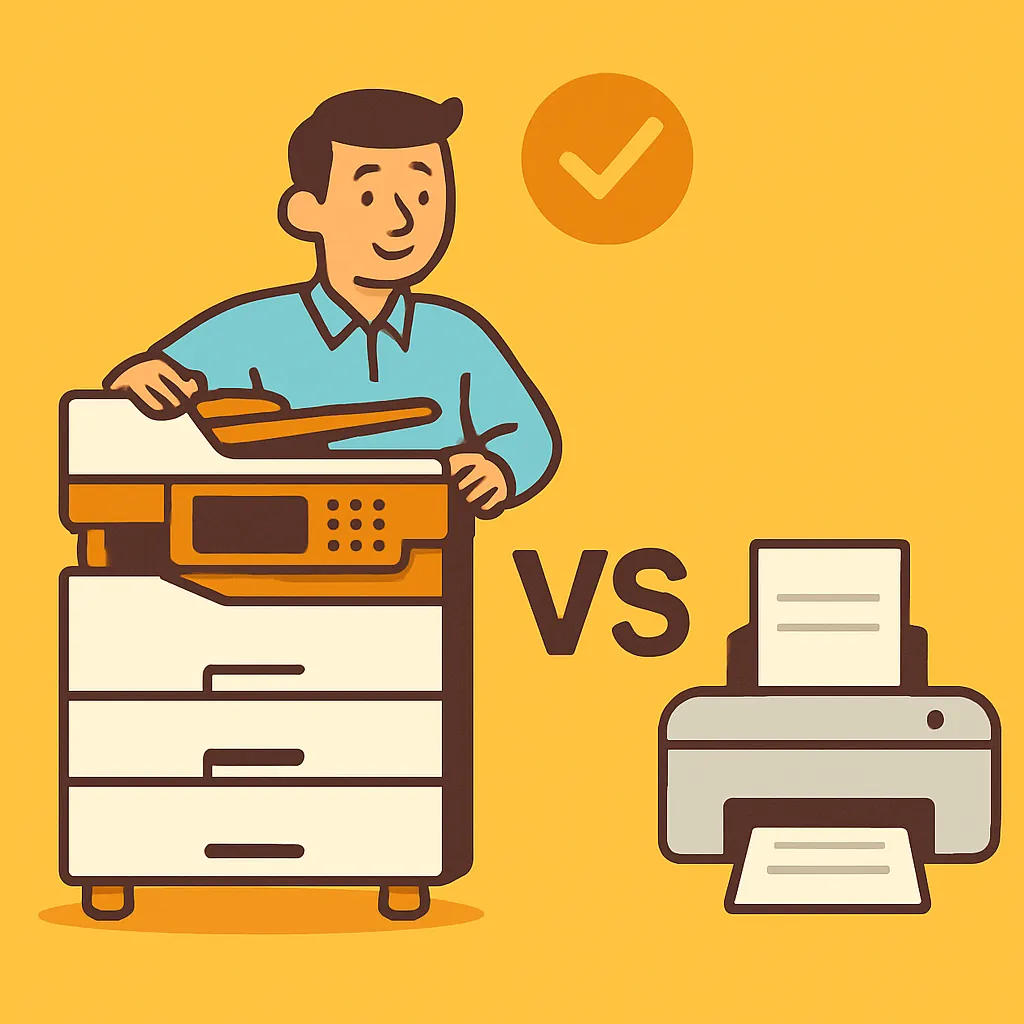
Commercial copier repair and home printer repair are genuinely different businesses served by different people at different price points. Someone calls a few times a week, describes their printer, and about thirty seconds in it becomes clear they've reached the wrong kind of service company. Not because the question isn't a good one, but because most repair companies won't tell you that upfront. We will, because scheduling a call that doesn't make financial sense for you isn't good for anyone.
This post is here to help you figure out which side of that line you're on before you dial.
Two Very Different Machines, Two Very Different Service Markets
DataPrint specializes in commercial-grade copiers and multifunction printers used by businesses printing anywhere from 1,000 to 20,000 or 30,000 pages a month. Legal firms, accounting offices, small businesses with real output demands. That's the world we've been in since 1988.
Consumer-grade home printers — the HP OfficeJet series, Brother HLL2370DW, Canon imageCLASS entry models, Epson XP series — are a different category entirely. They're designed and priced for low monthly page volumes, and that design choice runs all the way through the machine. Consumer inkjets in particular are generally not built to be repaired. Commercial copiers are. The internal architecture, the parts availability, the service economics — all of it is different. Treating them as the same market doesn't serve the customer well.
What Makes a Machine "Commercial Grade"
The brand name alone won't tell you. Canon makes both residential printers and commercial workhorses. Same with HP. What matters is the product line.
Commercial machines are typically from lines like Canon imageRUNNER, Ricoh, Konica Minolta bizhub, Kyocera, Sharp, and Xerox WorkCentre. Those are the machines built for high monthly volume, network environments, and long service cycles. A Canon imageCLASS MF455DW, on the other hand, is an entry-level laser designed for basic home and small-office use — letter and legal paper only, no 11x17 capability. It's a fine machine for light use, but it's not in the same tier as a commercial multifunction device.
The HP OfficeJet Pro 9025E is an inkjet. That puts it in a completely different class than an HP LaserJet or an Enterprise-tier HP device. When someone calls about an HP printer, one of the first things we ask is whether it's an OfficeJet, a LaserJet, or an Enterprise model, because the answer changes everything about how we evaluate the call.
Model release date also matters. A Brother HLL2370DW that came out in 2017 carries the wear profile of a 2017 machine, regardless of when you bought it. If you're evaluating whether to repair it in 2026, you're making a nine-year-old machine decision. That's worth knowing before you commit to a service call.
Is It Worth Repairing a Home Printer?
Our labor rate is $175 per hour, with a one-hour minimum if a repair is attempted. The estimate itself is free — you don't owe anything for us to come out and look at the machine. But once a repair starts, the one-hour minimum applies.
That printer repair service call cost makes sense for commercial work in Los Angeles. A multifunction copier that processes thousands of pages a week for a law office or accounting firm has real repair economics. A $400 retail laser printer from 2017 does not.
When a caller described her Brother HLL2370DW — which stopped mid-job and wouldn't feed paper — the honest answer was straightforward: at $175 an hour, a service call would very likely cost more than replacing the machine with a new black-and-white printer from Staples. She appreciated that. We didn't schedule a call that wouldn't have been worth her money.
That's the practical test for any consumer-grade machine: look up what a comparable new printer costs, then weigh it against a minimum $175 service charge where the outcome isn't guaranteed. For a lot of home printers, the math points toward the retail store.
If you're in that situation, that's not a bad outcome — it's just the right answer.
When the Repair IS Worth It: Copier Repair for Los Angeles Small Businesses
If you're running a business in Los Angeles and your copier or multifunction device is down, that's exactly the call we're here for. We've been doing on-site commercial copier repair in Los Angeles across the San Fernando Valley, Burbank, Glendale, Pasadena, West LA, the South Bay, Santa Monica, Long Beach, and Downtown LA since 1988. All of our service is on-site — we come to you. There's no drop-off, no in-shop option, because that's not how commercial service works.
We work on Canon, Ricoh, Konica Minolta, Kyocera, Sharp, Brother, HP, and Xerox commercial equipment. The problems we see most often are paper feed failures, scanner faults, and mechanical damage from things like label printing. A caller in Van Nuys described a Canon imageCLASS that had been repeatedly jamming during a label print job — the feed mechanism took the damage you'd expect. A caller in Northridge had an HP scanner producing a red line on every scanned page. Both got scheduled for on-site visits.
We also do real pre-diagnosis on the call. When the Van Nuys caller described what was happening with her Canon, there was enough information to say with confidence that a repair was the right path. That's not a sales move. It means you're not sitting in uncertainty wondering whether it's worth letting someone come out — we tell you what we think based on what you've described, clearly, before anyone drives anywhere.
The Ghost Jam and Other Problems That Deserve a Real Technician
Paper jams are the most commonly reported printer problem. Usually there's visible paper to pull out. But sometimes the machine reports a jam and there's nothing you can find — no paper in the tray, nothing visible in the feed path. That's sometimes called a ghost jam, and it's a known failure type where the jam sensor triggers without paper being visible to the user.
When a caller in Sherman Oaks described exactly that scenario on her HP color printer, "it says there is a paper jam of which I can see or find no paper," we confirmed the machine and scheduled an on-site printer repair visit. She was a graphic designer who depended on that printer for client work and had already tried buying a replacement. The machine was worth diagnosing.
That same symptom on a 2017 consumer laser might point toward a different answer. The machine and its repair economics matter as much as the symptom. A ghost jam on a commercial device is a diagnostic problem worth solving. On an aging home printer, it may be the machine telling you it's done.
Recurring jams, especially ones that leave torn paper deep inside the machine, generally require a technician regardless of the device. That's not a job for a YouTube tutorial.
Here's the short version: if you have a commercial copier or multifunction device from a recognized business brand and you need someone who comes to you, DataPrint has been handling that work in Los Angeles since 1988. Call us and we'll tell you straight what we think before anyone commits to anything.
If you have a home inkjet or an entry-level consumer laser, price out a replacement first. If the new machine costs less than $175, you probably already have your answer. And if you're not sure which side of the line you're on, call anyway — we'll tell you honestly, the same way we'd tell any caller in that situation.