June 7, 2026
Is It Worth Repairing a Printer? How to Know
Your printer stops mid-job. No error message that means anything, no obvious fix. You're sitting there wondering whether to call someone or just drive to the store and buy a new one. The honest answer is: it depends almost entirely on what kind of machine you have.
We get these calls at DataPrint Solutions in Van Nuys every week. Some of them end with us scheduling a same-day visit. Others end with us telling the caller to skip the service call entirely and go pick up a new printer at Staples. We've been doing this since 1988, and the decision tree is not that complicated once you know what to look for. If you're asking yourself is it worth repairing a printer, the answer usually comes down to two things: what kind of machine you have and what a comparable replacement costs today.
The Question Comes Down to One Number
Before anything else, you need to know what a service call actually costs. At DataPrint, our labor rate is $175 per hour with a one-hour minimum if a repair is attempted. We provide free estimates before any repair commitment, but once a technician starts work, that first hour is on the clock.
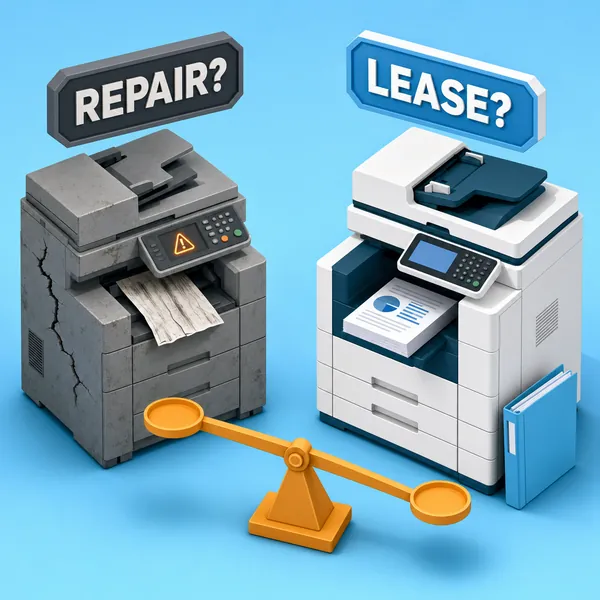
That number is the first filter. Hold it up against what a comparable replacement would cost you new. If fixing the machine is going to run more than roughly half of what a new one costs, replacement usually wins. That ratio is a common benchmark in the printer repair vs replace decision, and it holds up in practice. The labor rate makes the math concrete fast.
Consumer Printers: Usually Not Worth Repairing
A homeowner in the San Fernando Valley called us recently about a Brother HLL2370DW that had stopped mid-print and wouldn't respond. She'd had it a couple of years and wanted to know if it was worth a repair call.
The first thing we did was look up the model. That printer came out in 2017. At $175 for the first hour of labor, the service call alone would very likely cost more than the machine is worth to replace. We told her so directly and recommended she pick up a new black-and-white printer at Staples instead.
That call ended without us booking any work. That's the right outcome when the numbers don't support a printer repair.
A few things to keep in mind on consumer-grade machines:
- The model release year matters as much as when you bought it. A printer purchased two years ago but designed in 2017 carries the parts availability and resale value of a 2017 machine.
- Inkjet printers in particular are not built to be economically repaired. Parts are often unavailable, and when they exist, they frequently cost more than the machine itself.
- Entry-level laser printers in the Brother HLL range and similar tiers fall into the same category. The repair economics rarely work out.
If you have a consumer-grade printer and you're wondering when to replace a printer versus calling a technician, start by looking up when your model was released and comparing it to what an equivalent new machine sells for today. The math will usually answer your question before you pick up the phone.
Commercial Copiers: A Different Calculation
A business owner in Hollywood called about a Sharp MX-3070 that was stuck in a boot loop. The machine would start its initialization sequence and never finish, cycling through it over and over. On top of that, prints were showing ghosting. A previous technician had looked at it and recommended replacing the formatter board.
We pushed back on that diagnosis immediately. A failed formatter board typically produces a very different set of symptoms. Boot loops are more commonly caused by memory issues, a failing hard drive, or in this case something much simpler: toner that had never been replaced in five years of use.
The caller confirmed that the toner had never been swapped out. Severely depleted toner can prevent a machine from completing its startup sequence entirely, producing a loop that looks like a serious hardware failure but isn't. Before assuming the formatter board needs to go, check the toner.
To check toner levels and supply status on a Sharp MX-3070, hold the home button — that pulls up copy count and remaining supply levels without digging into menus.
The MX-3070 is a commercial-class color multifunction machine. At 110,000 copies logged and four models behind current production, it may be 10 or more years old, but its replacement cost is far higher than any consumer printer. That changes the math. Repair is a legitimate option on a machine like this, as long as the diagnosis is honest and the parts aren't compounding failures.
We agreed to drive to the customer's location on Forest Lawn Drive for a free on-site estimate before any repair decision was made.
Warning Signs That Change the Math on a Commercial Machine
Age and copy count matter, but there are a few specific failure modes on older commercial machines that can flip the decision toward replacement.
Degraded foam cleaning pads. Inside drum units on older machines, foam pads help maintain the drum surface. On copiers that are 10 or more years old, those pads can degrade and essentially melt. When that happens, the damage is widespread and the repair becomes complicated fast. A technician should pull and inspect the drum units on any aging machine as part of a proper diagnostic.
Fuser wear. Ghosting on prints is typically a fuser issue. On a Sharp MX-3070, the fuser is rated for up to 300,000 copies. But that rating assumes a known history. If the machine was purchased secondhand, the fuser may have already been partially used before you got it, and the copy counter may not reflect that.
Secondhand copy count risk. This matters more than most buyers realize. Copy counts on secondhand commercial copiers can be manipulated before resale. Individual components like the fuser and drum may have far more wear than the display suggests. The displayed count is a starting point for a diagnosis, not a guarantee of component condition.
Old or low toner. OEM toner is always the right choice over compatible cartridges. Beyond brand, toner that has been sitting unused for several years, or cartridges running below 25% capacity, can cause erratic machine behavior including startup failures. On the MX-3070 call, shaking the cartridges and replacing the near-empty ones was listed as one of the first steps before drawing any conclusions about the formatter board or hard drive.
How to Read Your Machine Before You Call Anyone
A couple of minutes before you call a technician can save time for everyone and give you a clearer picture of where you stand.
On a Brother printer, the model number is on the front of the machine. Not on the back, not on the toner cartridge. On the HLL2370DW it is printed directly on the front panel. Knowing the exact model number and the year it was released tells you immediately whether repair economics are in the right range.
On a Sharp MX-3070, check your toner levels before assuming the worst. Hold the home button to pull up copy count and supply levels. If one or more cartridges are near end of life, that is the first thing to address before calling a technician to diagnose a boot loop.
Knowing the model, the copy count, and the toner status before you call lets a technician give you a meaningful estimate over the phone. In some cases, it reveals that the fix is far simpler than the symptoms suggested. How much does printer repair cost on a given machine is a question a technician can often answer accurately over the phone once they have this information.
When a Good Technician Tells You Not to Repair
The Brother call we described earlier is a good example of how this should work. The caller needed an honest answer, not a service appointment. The repair economics didn't support a call, so we said so and pointed her toward a new machine at retail. That conversation took a few minutes and saved her a $175 minimum charge for a machine that wasn't worth it.
That's what you should expect from any reputable shop. If the numbers don't work, a technician who respects your time tells you that upfront. If they need to see the machine before committing to a number, a free estimate is the right first step, not a repair invoice.
DataPrint Solutions has been operating this way out of Van Nuys since 1988. We serve businesses across the greater Los Angeles area, from the San Fernando Valley to Downtown LA, the South Bay, Pasadena, Burbank, Glendale, Santa Monica, and Long Beach. When you call, you're talking directly to someone who can diagnose the problem, not a call center routing your ticket.
If your printer or copier has stopped working and you're not sure whether it's worth fixing, call us before you assume anything. We'll tell you what we think, and if the answer is to go buy a new machine, we'll tell you that too.