June 17, 2026
Sharp MX-3070 Boot Loop Keeps Trying to Come Ready
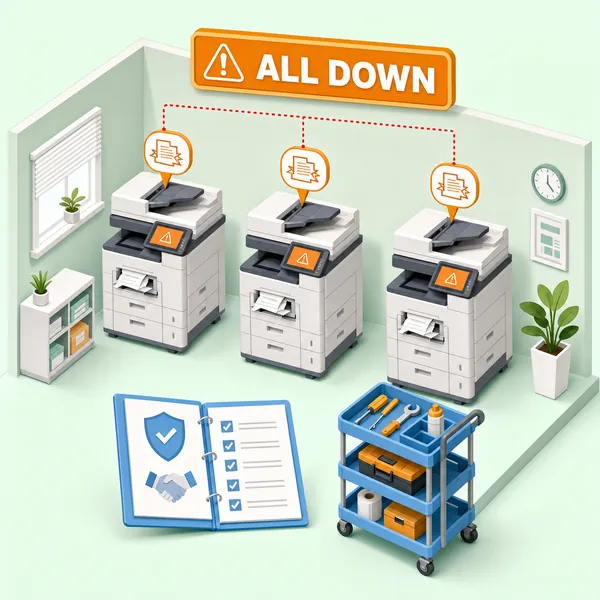
Your Sharp MX-3070 starts up, stalls, starts again. The screen cycles. The machine never reaches a ready state. A technician came out, looked it over, and handed you a quote for a formatter board replacement. Something about that doesn't sit right — and you're probably correct to be skeptical.
Boot loops and ghosting on the MX-3070 almost always have a mechanical or supply-level explanation. A proper diagnosis follows a specific sequence, starting with the least invasive checks and working toward the expensive ones only if the simpler causes have been ruled out. Skipping that sequence is how you end up with a big repair bill that doesn't fix the problem.
What a Boot Loop Actually Looks Like on the MX-3070
The symptom is specific: the Sharp MX-3070 boot loop keeps trying to come ready. It cycles through its startup sequence, gets partway through, and hangs, then starts again. It is not the same as a machine that powers off and reboots. The MX-3070 is making it through part of its startup, but something is preventing it from completing.
That distinction matters for diagnosis. A formatter board failure typically produces a very different set of symptoms, not a startup loop. So when a technician's first recommendation after seeing a boot loop is a formatter board replacement, that's worth questioning. The board is not the typical cause of what you're describing.
The MX-3070 is four machine models old, and these machines are 10 or more years old at this point. That age puts them squarely in a range where supply-level problems and component wear are realistic diagnostic factors. Neither should be skipped in favor of an expensive board replacement.
The Most Overlooked Cause: Toner Levels
This one surprises most people. Low or depleted toner can prevent the MX-3070 from completing its startup sequence. The machine loops while its supply monitoring tries to reconcile the toner levels it's reading. It's not a mechanical failure and it's not a board issue — the machine is stuck because it can't get past what it's seeing in the toner cartridges.
A customer in the San Fernando Valley had this exact situation. The MX-3070 had been in use for five years, and toner had never been replaced. When we checked the levels live on the call, multiple cartridges were critically low. The machine had been running on near-empty cartridges for who knows how long.
The fix for that first diagnostic step costs almost nothing compared to a board replacement: shake the low cartridges and replace the ones that are near end of life.
To check toner levels on the MX-3070, navigate to System Settings, then Status, then Machine Identification. That screen shows current toner levels for each color. On a machine that's at a ready state, double-tapping the home button will also pull up supply status.
Shaking cartridges and replacing the ones that are critically low is the right first step before any technician starts talking about boards or drives. If the machine comes ready after fresh toner, you've saved yourself a significant repair bill.
Drum Unit Foam Pad Degradation: An Age-Related Failure Most Articles Miss
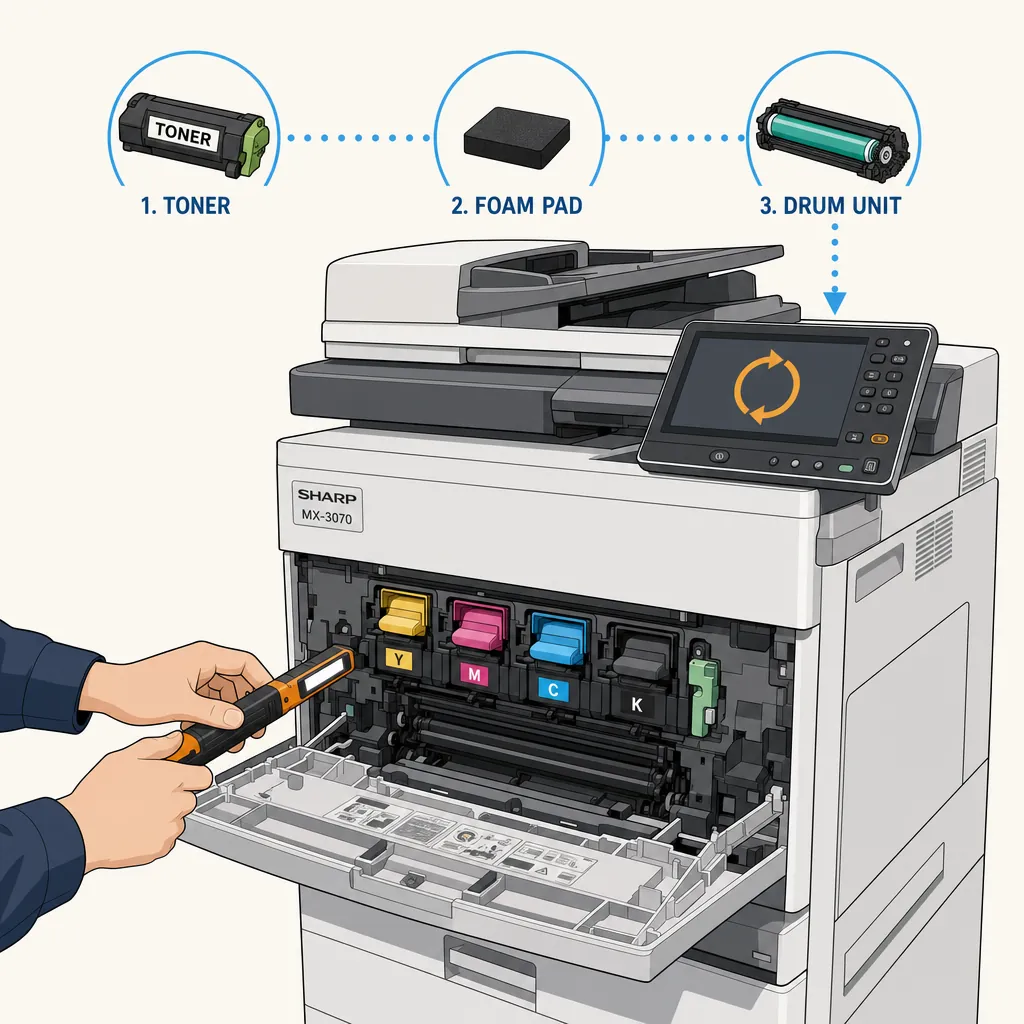
Inside the drum units on these machines there are foam cleaning pads that maintain the drum surface. On a machine that's 10 or more years old, those pads can degrade and essentially melt. When that happens, it causes widespread print quality and mechanical problems — including a Sharp MX-3070 drum unit foam pad degraded condition — that can look like a lot of different things.
This is not something you'll find in most troubleshooting guides, because most of those guides are written for technicians who already know to look for it. For a business owner trying to understand why their machine is behaving the way it is, it's worth knowing this failure mode exists.
A proper diagnostic on an older MX-3070 should include pulling each drum unit and visually inspecting the foam pad condition. It's not a complicated inspection, but it has to happen in person. You can't assess foam condition remotely or through a settings menu.
For reference, the genuine Sharp drum unit for the MX-3070 (MX-40NUSA) carries an approximate OEM yield of 200,000 pages for black and 150,000 pages for color. On a machine with a reported copy count of 110,000 — especially one purchased secondhand where parts may have been swapped — the actual wear on those drums could be higher than the counter suggests.
Sharp MX-3070 Ghosting on Prints: Why the Fuser Is the First Place to Look
Sharp MX-3070 ghosting on prints appears as faint repeated images on your output. The image appears once where it should, and then a lighter version of it repeats somewhere else on the page. That symptom points to the fuser.
A technician should visually inspect the fuser for wear as the primary ghosting diagnostic step. The fuser on the MX-3070 is generally rated to last somewhere between 200,000 and 300,000 copies, but on a secondhand machine that range means very little. Copy counters can be manipulated, and parts including the fuser may have been swapped before you bought it. The meter reading on the machine does not reliably tell you how many pages that fuser has actually processed.
Lines on output are a separate symptom from ghosting, though they can appear on the same machine. Lines are typically connected to drum unit wear across any of the four color drums, transfer belt cleaning kit condition, or other maintenance components that are past their service interval. A machine showing both ghosting and lines is a machine that needs a thorough inspection across multiple components, not a single part swap.
How a Technician Sequences the Diagnosis
The right sequence moves from least invasive to most. Here is how a proper MX-3070 diagnostic should be structured:
- Check toner levels via System Settings and replace any cartridges that are near end of life or under 25%.
- Pull each drum unit and inspect the foam cleaning pads for degradation or melting.
- Assess fuser condition visually for wear.
- Evaluate whether the Sharp copier stuck in boot loop condition resolves after the toner and drum issues are addressed.
Board-level replacement comes after those steps, not before them, and only if those steps haven't resolved the problem. Recommending a formatter board as the first response to a boot loop skips the diagnostic work entirely.
If the repair isn't worth pursuing once the inspection is done, we say so. That's not a selling point, it's just how an honest diagnosis works. There's no value in sending someone down a repair path that doesn't make sense for a machine's age or condition.
What It Costs and What to Expect
The on-site estimate is free. A technician or the owner comes to your location, evaluates the machine, and tells you what they found and what it will cost. Nothing is owed for the estimate itself.
If a repair is attempted, labor is $175 per hour with a one-hour minimum. A normal maintenance service call on a Sharp MX machine runs 45 minutes to an hour. Extensive work — full drum kit replacement, transfer belt service, paper feed rollers — typically runs one and a half to two hours.
DataPrint Solutions has been servicing copiers in Los Angeles since 1988. When you call, you're talking to the owner or a technician, not a call center. The person giving you the diagnosis is the same person who has been working on these machines for over 35 years.
If your MX-3070 is stuck in a boot loop, producing ghosted output, or both, the cause is almost certainly mechanical or supply-related — and a proper inspection sequence can isolate it before anyone touches a board. If you're in the Greater Los Angeles area, from the San Fernando Valley to the South Bay to Pasadena and Long Beach, we can come on-site, assess the machine, and give you a straight answer at no charge. For Sharp copier repair in Los Angeles, call DataPrint Solutions at (818) 786-6800.